Survey Satisfaction - CSAT

You can now send CSAT (Customer Satisfaction) surveys directly from a bot or automation action to measure customer satisfaction. Responses are stored in Callbell and can be analyzed in the analytics section.
How to use
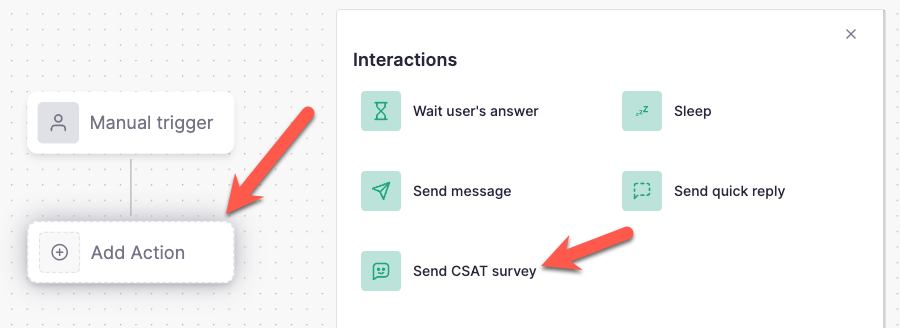
When creating or editing a Bot or Automation, add a new action and select “Send CSAT Survey”.
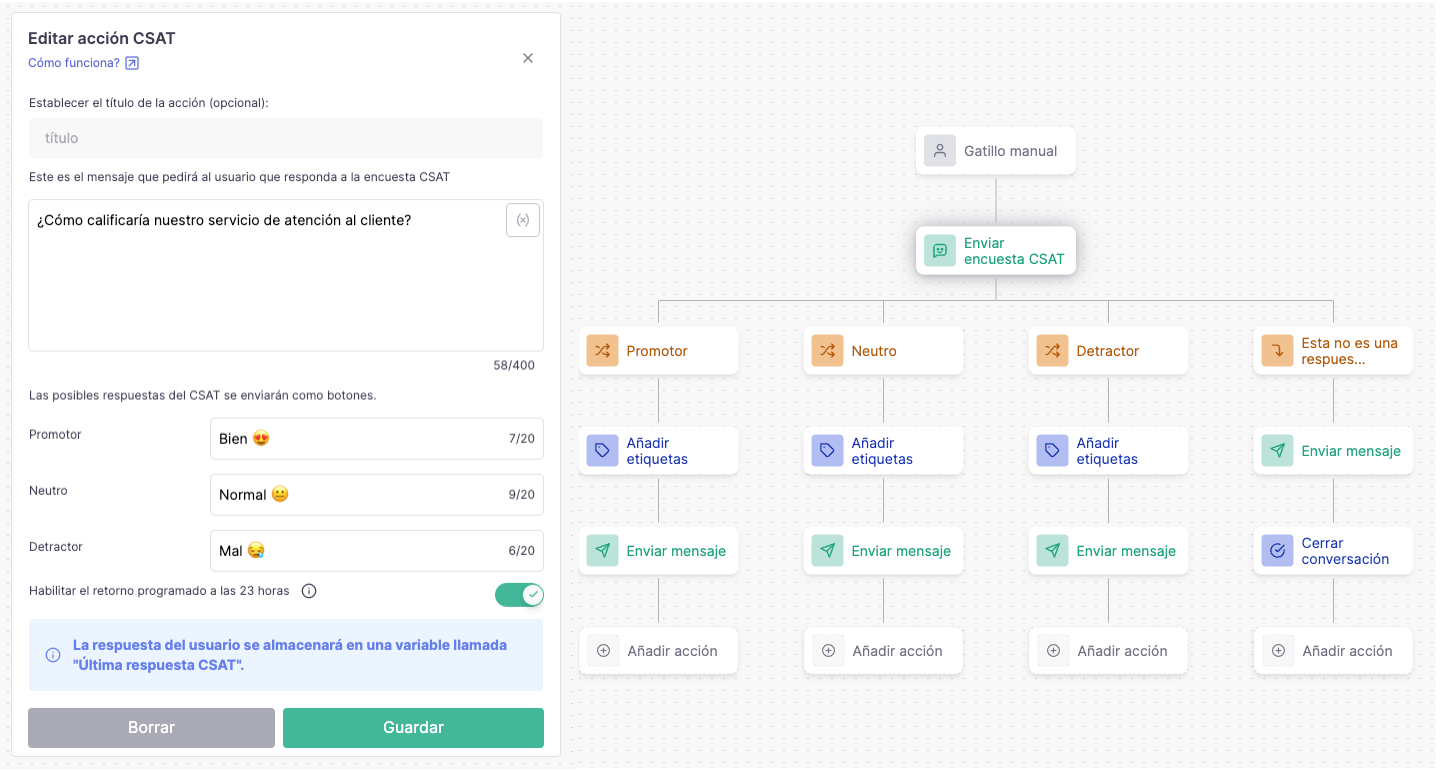
Customize the message text and the three response buttons that users will see. You can also enable an option to automatically close the survey after 23 hours if the user doesn’t respond.
Best practices
You can fully customize the CSAT follow-up actions. We recommend adding a tag the chat based on the response (Promoter, Neutral, or Detractor) so you can easily segment customers for future campaigns.
You can also add follow-up messages, such as:
Thanking users for their feedback
Asking promoters for a public review
Requesting more details from detractors
Since the survey uses interactive buttons, the CSAT action is not compatible with the QR Code integration. All official channels are supported.
How to send the survey
The survey can be sent by the agent triggering an automation (Learn more here). Currently, it's not possible to trigger it automatically when the chat is closed, but we plan to launch this feature in the future (vote here).
Analytics
Once you get your first response, a new chart will be available in the Performance tab: https://dash.callbell.eu/analytics/performance

The chart shows the total number of Promoters, Neutrals, and Detractors. The CSAT score is calculated as the percentage of Promoters.
A table with all responses is also available, allowing you to export the contact list and results.

Let us know if you have any questions 🙂