Custom Filters

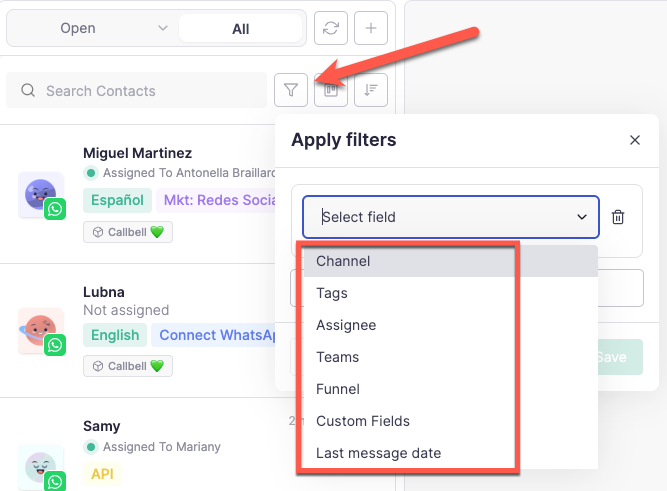
Get to know Custom Filters! A new way for agents to filter conversations using multiple conditions like:
Agents or team assigned
Tags applied
Channels
Funnel
Last message date
Custom field
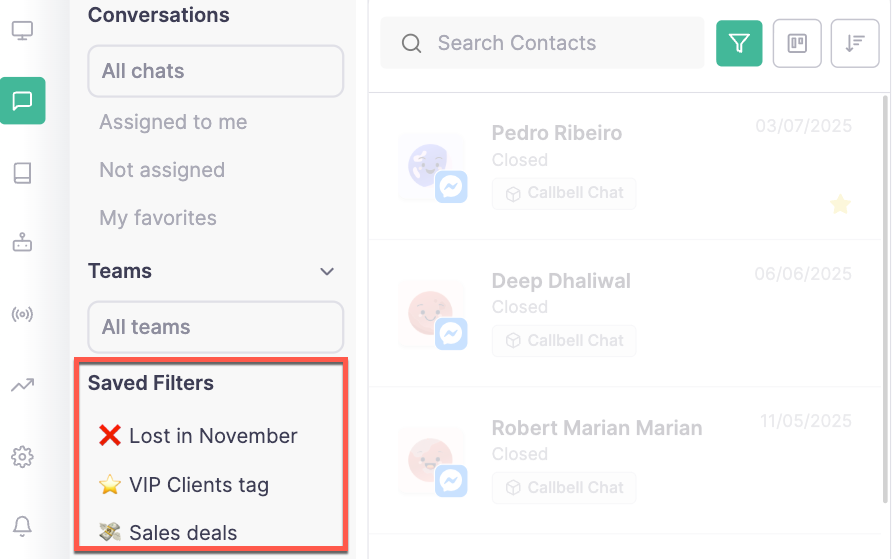
Apart from applying the custom filter, it's also possible to save and pin them to the left sidebar for quick access with a single click - perfect for keeping key views always at hand.
Saving filters is available only for clients under the Plus Plan
How it works
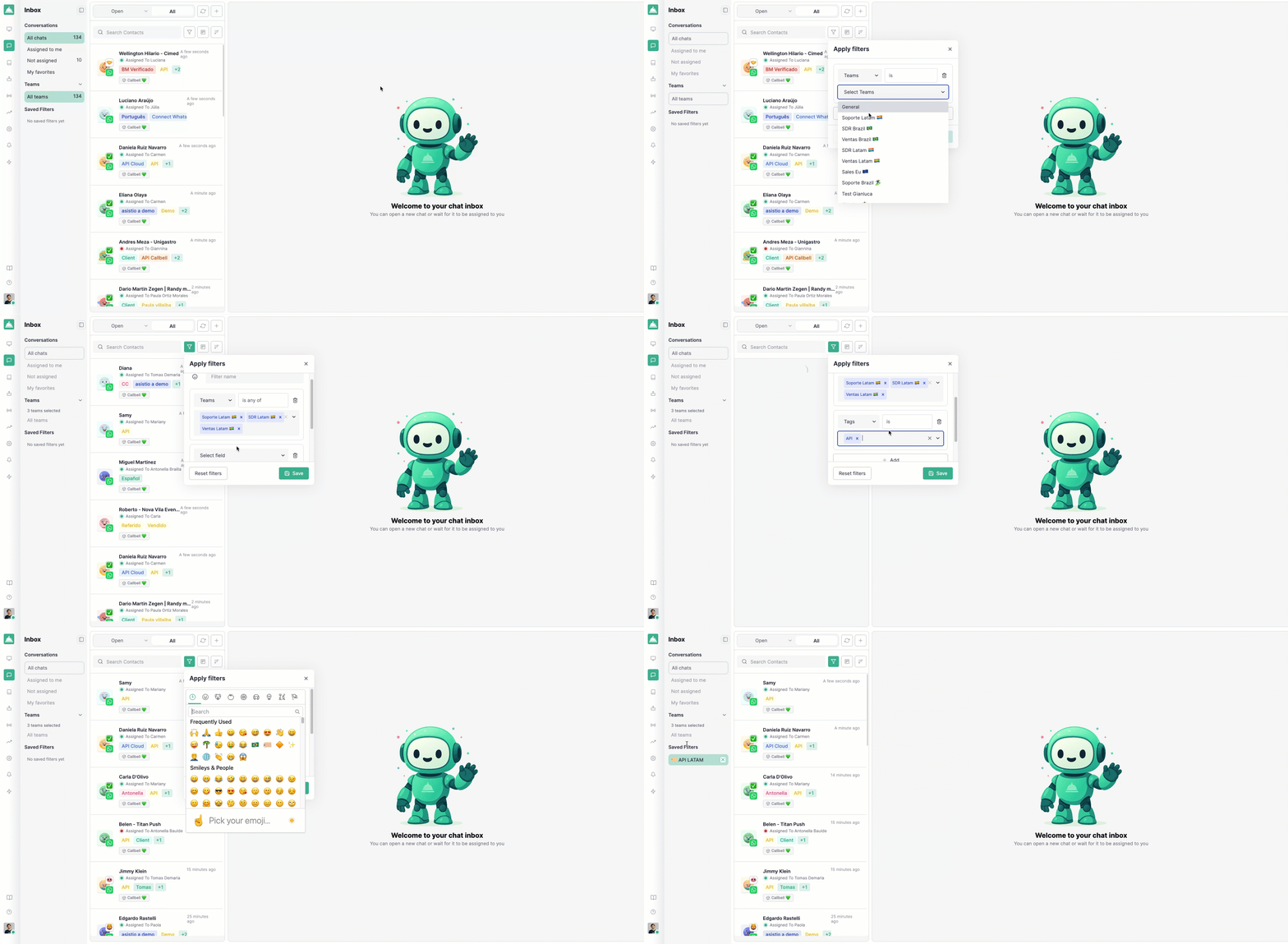
Click the Filter button in the inbox.
Apply one or multiple conditions.
The results update automatically.
(Plus plan only) Save your filter to reuse it anytime with a single click.
Filters are personal per user, not shared across the account - meaning each user can create and manage their own setup independently.
This update makes it faster than ever to organize, track, and focus on the conversations that matter most.