Auto close conversations ⏱️
Hello, everyone!
We are here to announce that a new feature! It is now possible to program conversations to close automatically after a period of time.
This will help you keep your inboxes organized ✉️, keep track of ongoing services, as well as having more accurate metrics. 📊
How to get started?
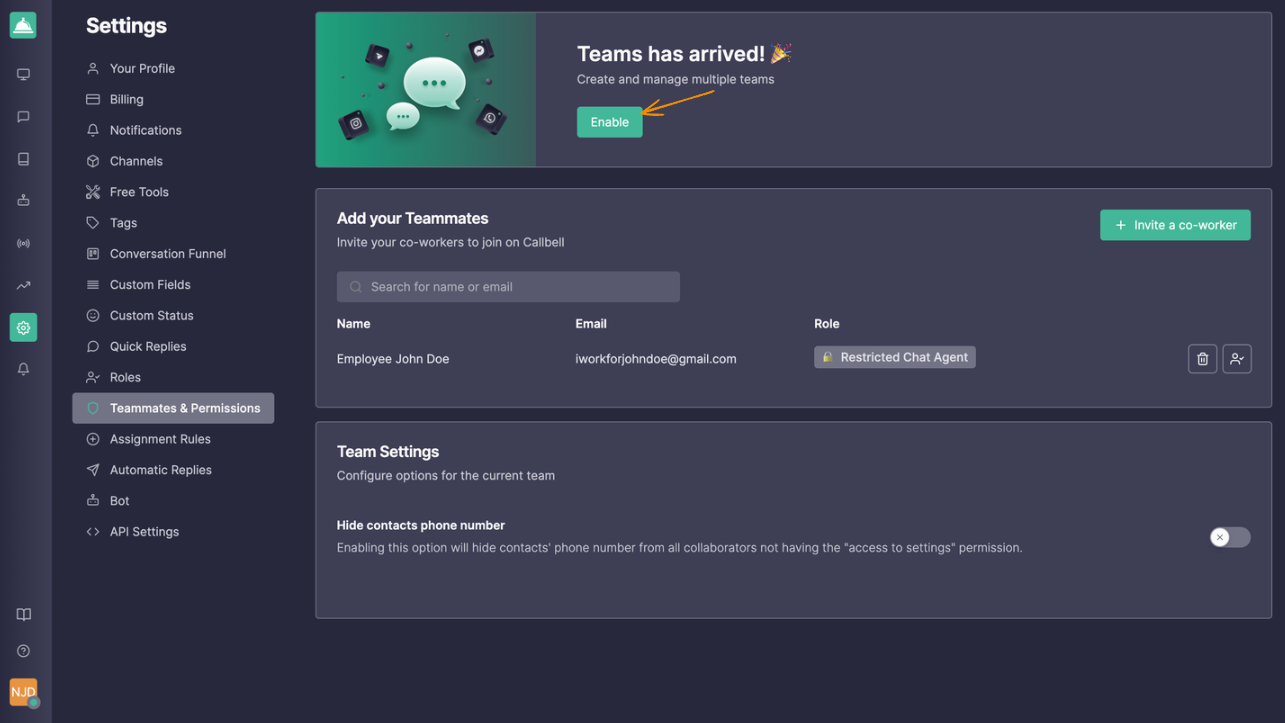
The first step is to enable the teams feature in your settings, like shown in the image below.
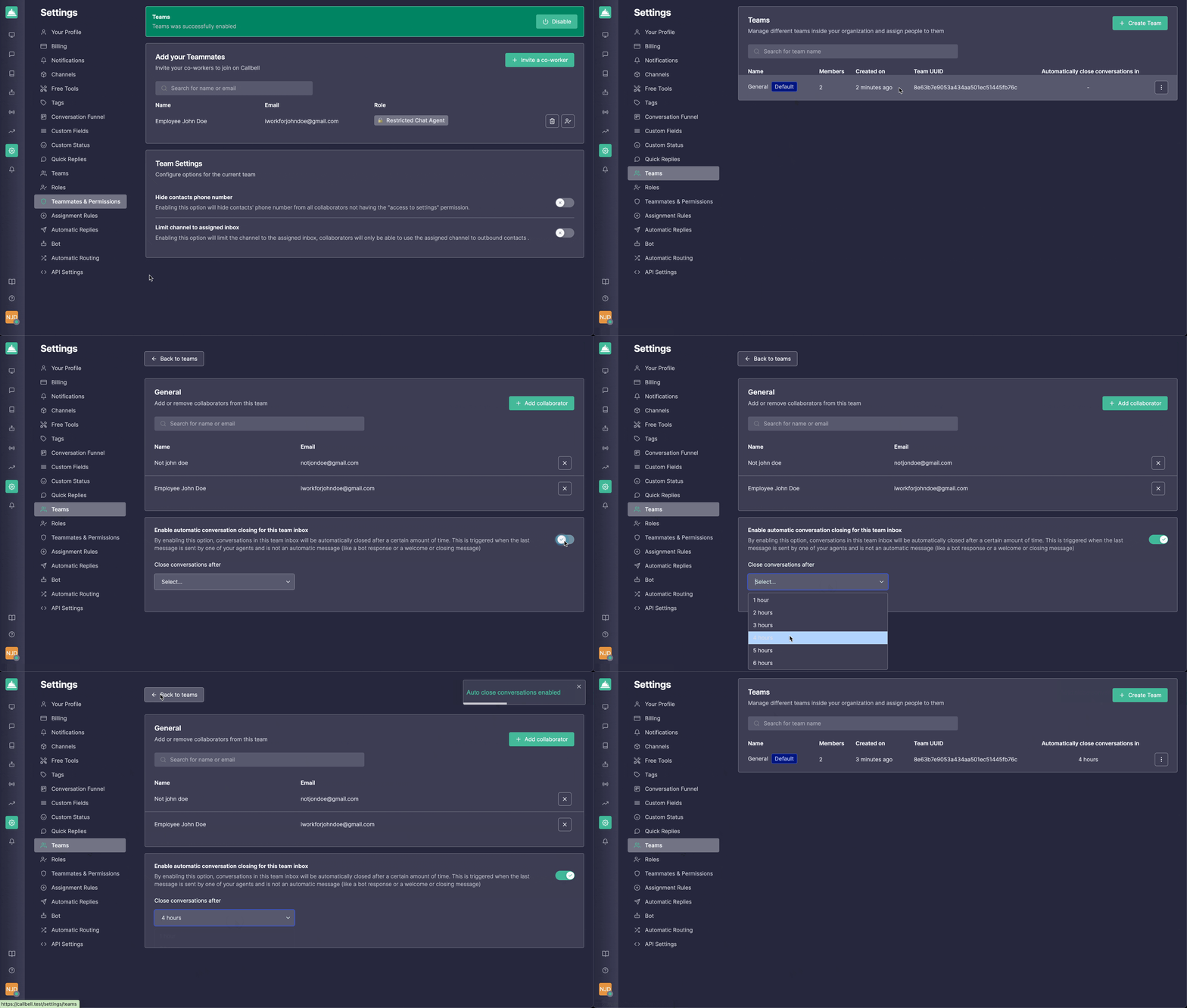
Then go to the teams section and follow these steps:
Select the team you want to enable the automatic closing by clicking on it;
Enable the toggle below the page that says “Enable automatic conversation closing for this team inbox”;
Select the desired period of time for closing the conversation.
It is set!
How does it work?
After enabling the auto-close, you can see that the conversation is eligible for being closed automatically when it appears a message in the top bar. If you hover the info icon, you can see the date and the hour it will be closed automatically.
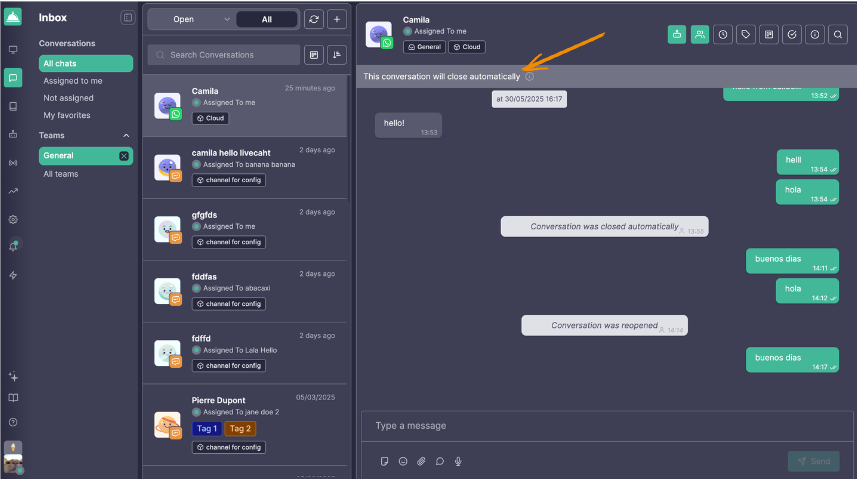
And when it is closed automatically, you will see a message like the one below.
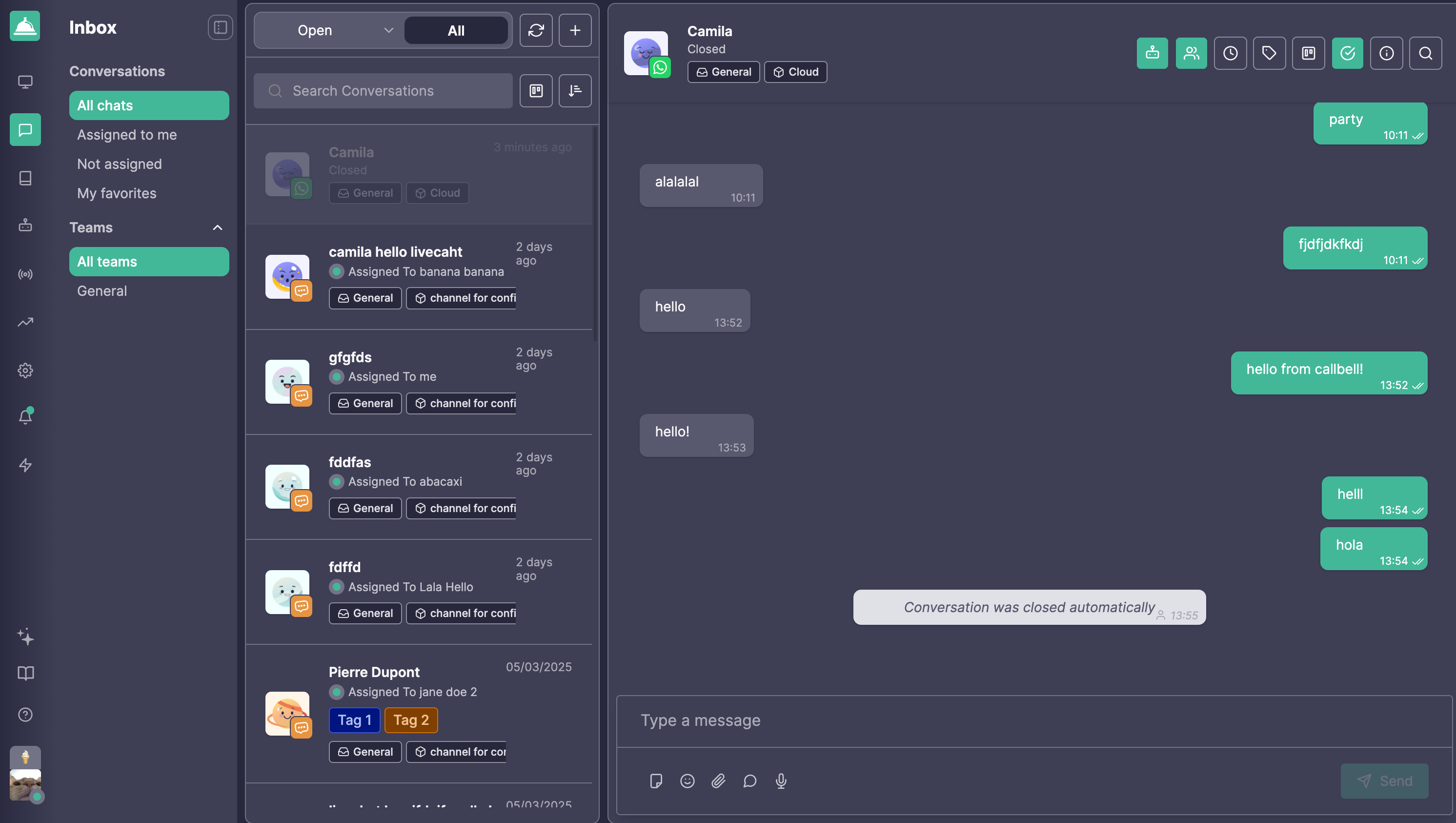
IMPORTANT:
The conversation will be automatically closed only if:
The last message in the conversation was from the agent. If the customer sent the last message, it means it is pending, so it will not be automatically closed;
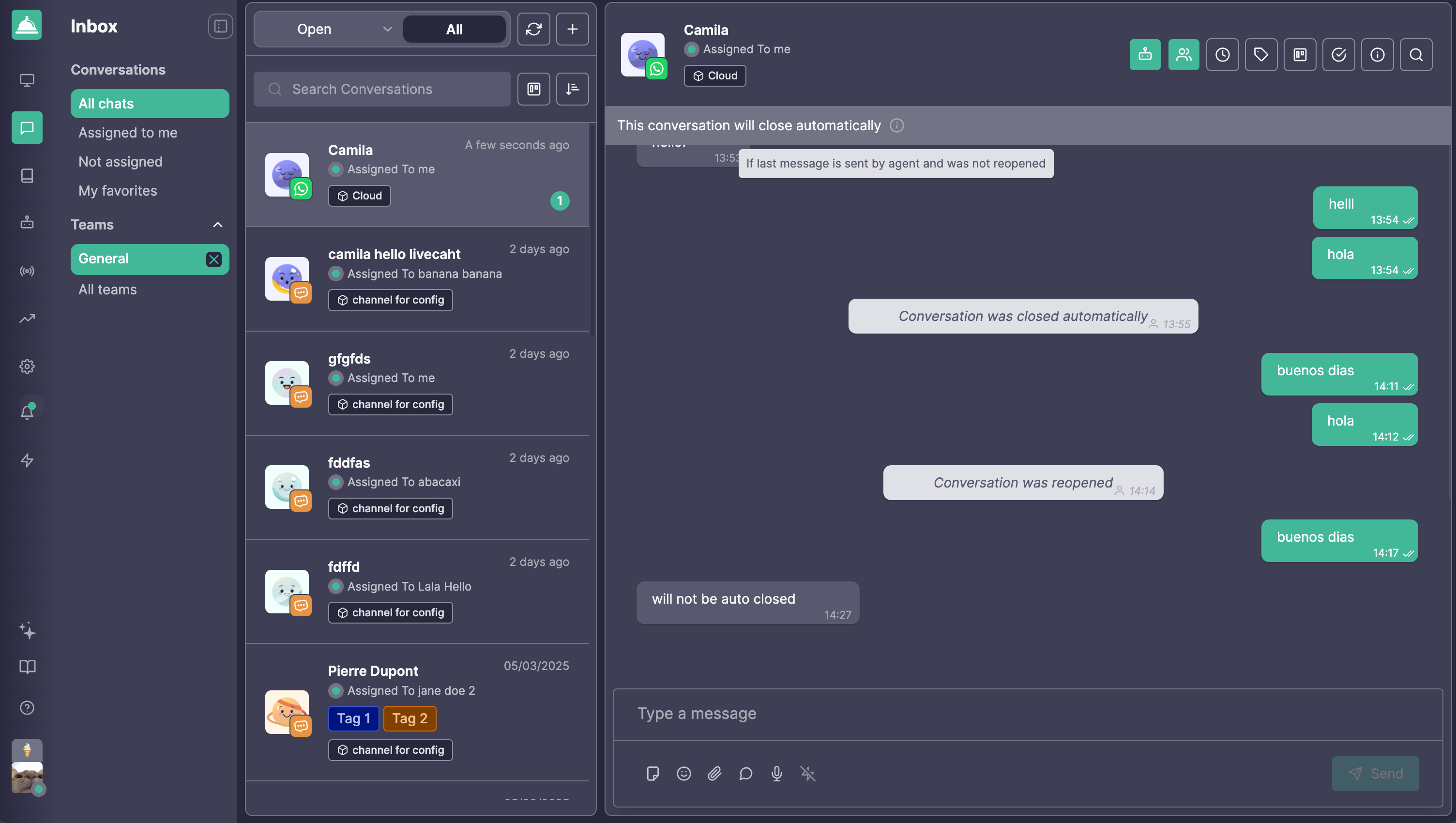
The conversation was not closed manually. If it is reopened, it will be closed automatically only if the last message is from the agent.
When the conversation is in one of the two previously mentioned scenarios, the message in the tooltip will be like in the image below and it will not inform a date or an hour.
As usual, feel free to give us any feedback or send us questions if you have any doubts!
Cheers from Callbell 🛎️